Bring your spreadsheet
Import Excel or CSV. Match your columns once, then get a report of exactly what came in and what needs a look.
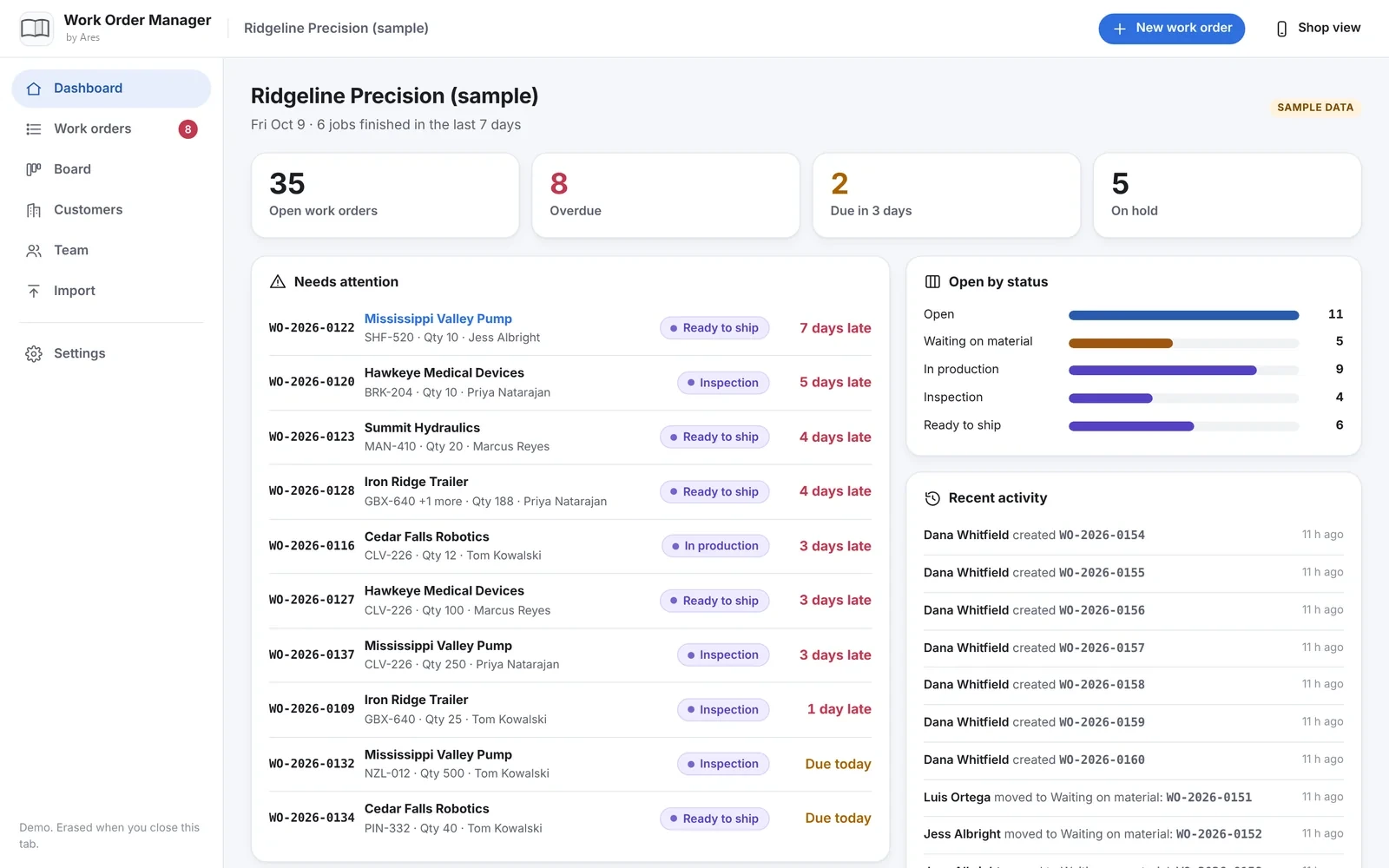
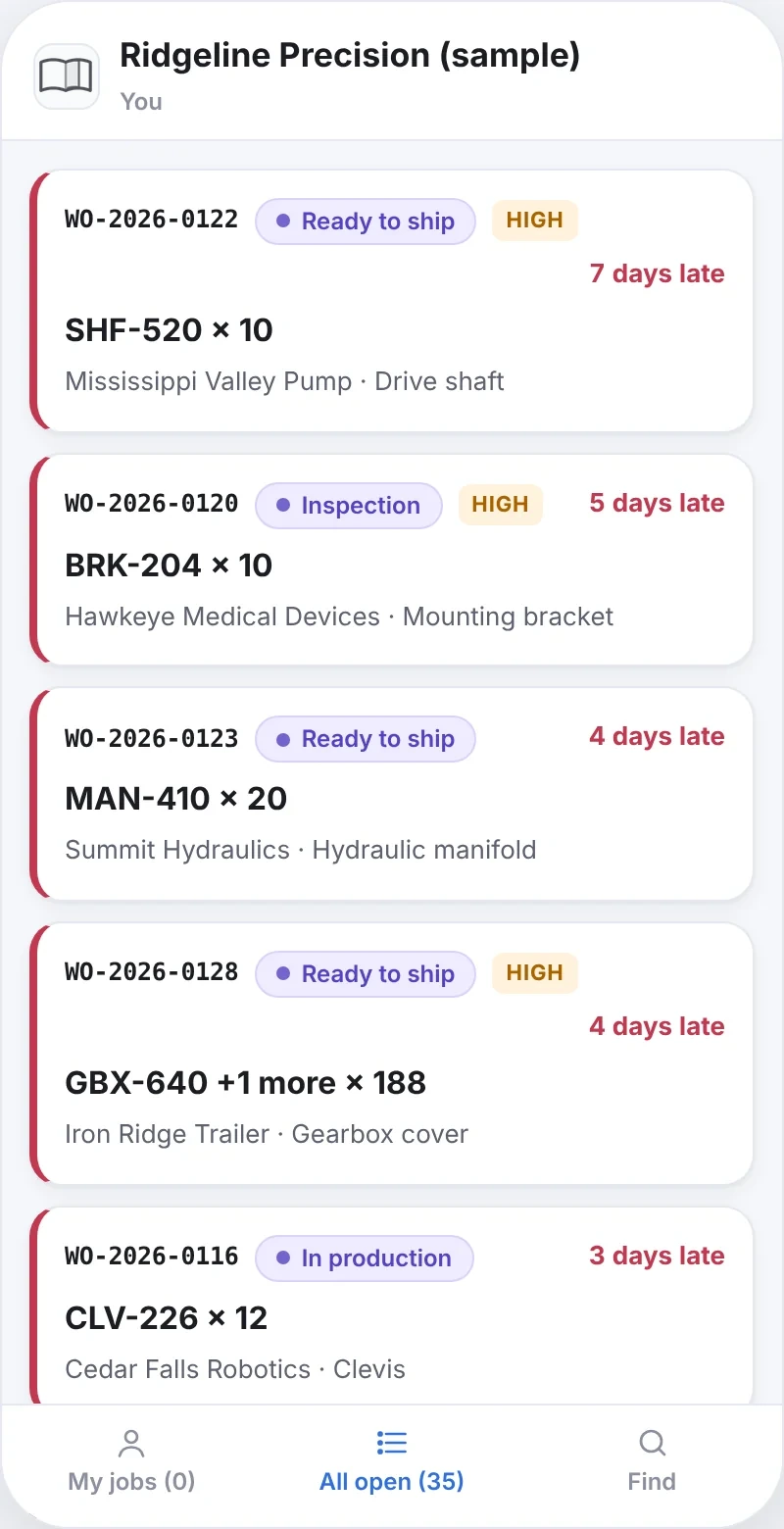
Replace the job spreadsheet. Every work order gets a number, an owner, and a status, from open to done. Your office sees everything live, and your team updates jobs from the shop floor on their phones.
Demo: sample data, no sign-up, nothing saved. Trial: 7 days free, no card needed.
What it does
A setup wizard asks a few yes-or-no questions about your business. Each yes turns on a feature, so the app only shows what you’ll use. Switch between Simple and Advanced any time.
Import Excel or CSV. Match your columns once, then get a report of exactly what came in and what needs a look.
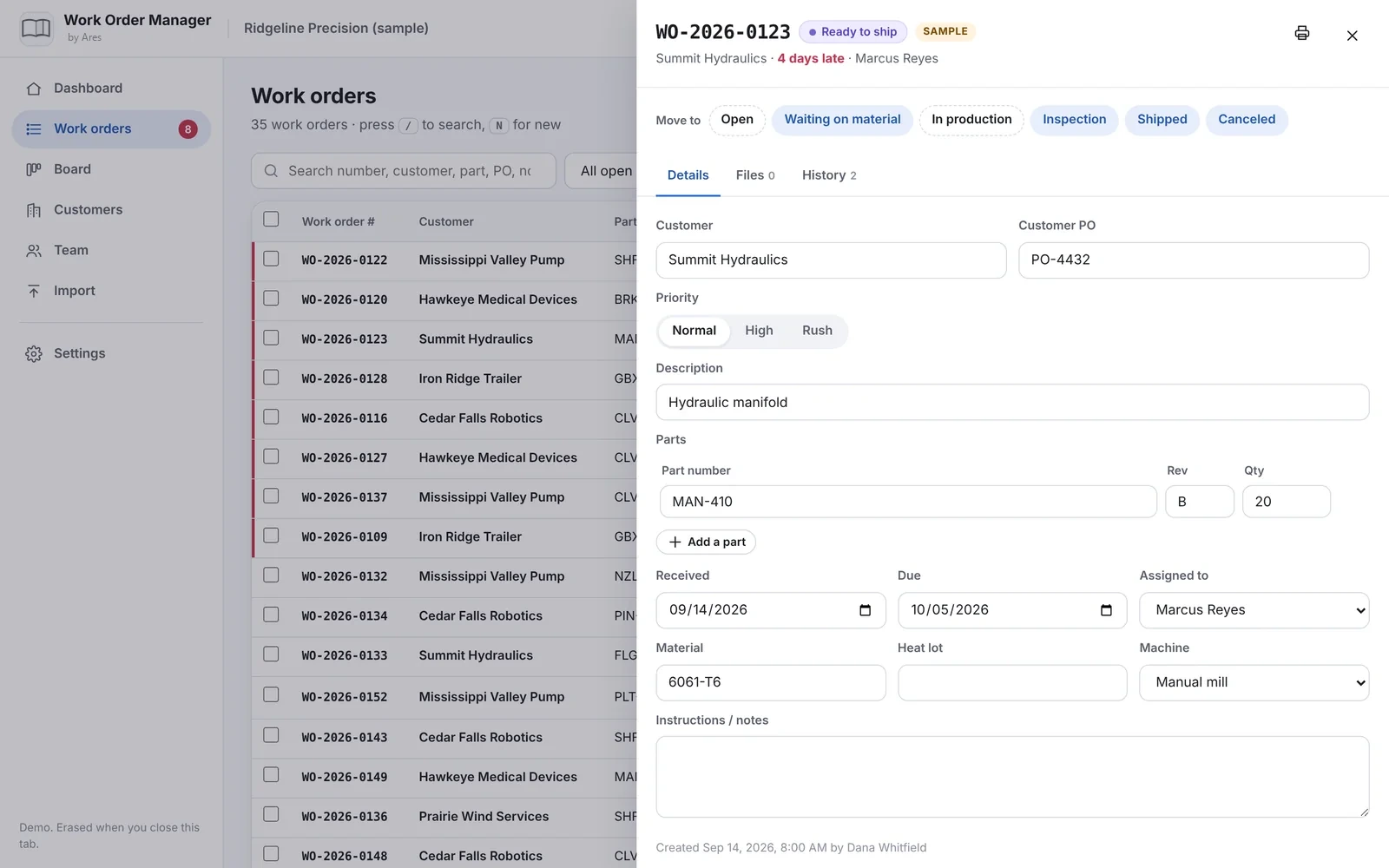
Each job gets the next number automatically, like WO-2026-0042, even when two people save at once.
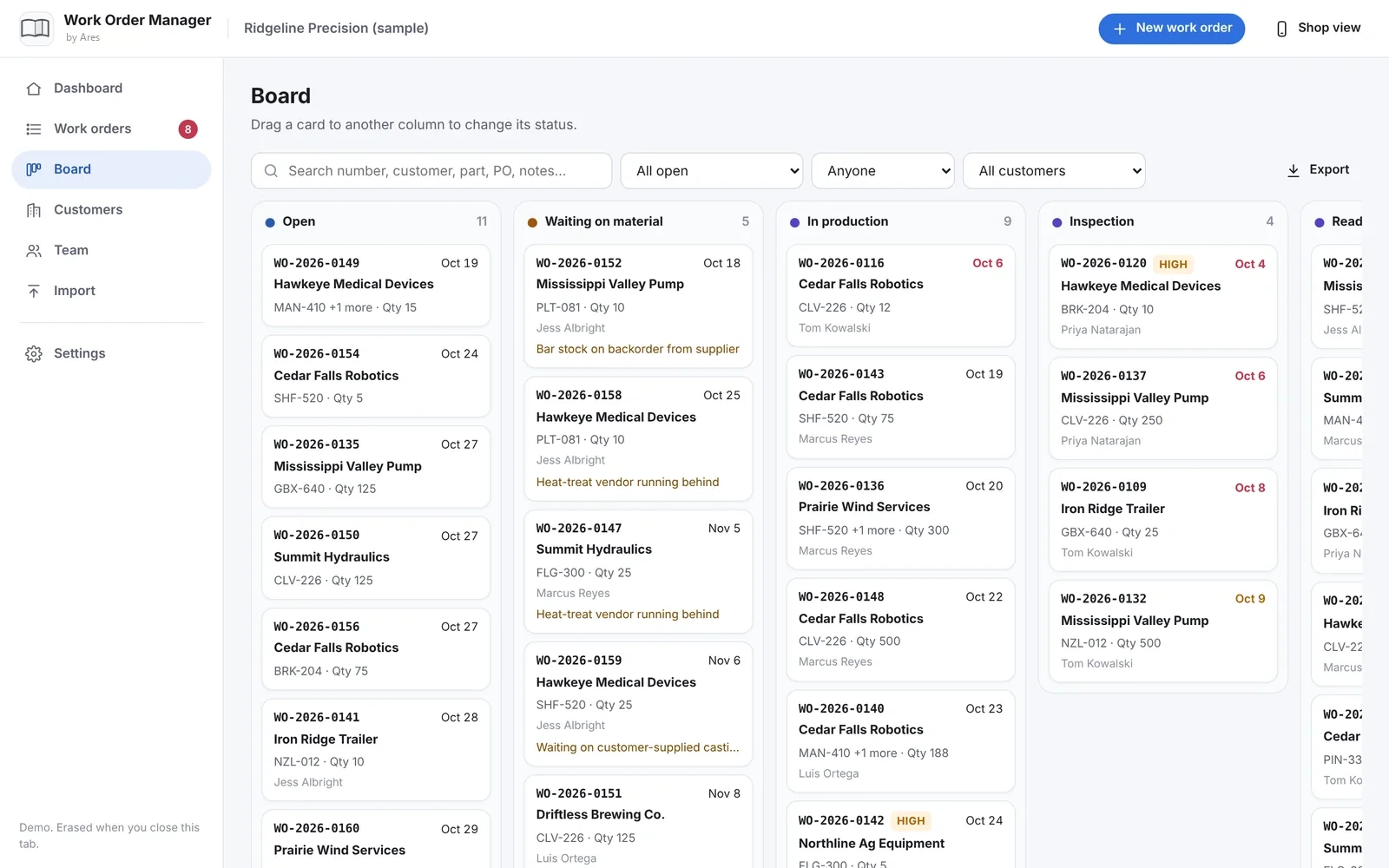
Drag jobs across a status board, or search, filter, sort, and export the list.
Staff see their jobs on their phones and update status, holds, and notes with a tap.
Owner, admin, manager, staff, and viewer. Each person only changes what their role allows.
Every change is recorded: who changed what, and when.
Print a clean job sheet to send along with the work.
Use your own steps, like Waiting on material or Inspection, with reasons for holds.
Your shop name, logo, and colors throughout.
A closer look
These screens are from the demo. Open it and click around; it’s the same app your team would use.
Getting started
The setup wizard sets up your numbering, statuses, and the fields you track.
Upload your spreadsheet, or start empty and add jobs as they come in.
Send each person a link. They open it on their phone; there’s nothing to install.
Pricing
Start with 7 days free. After that, pay once or monthly. Every plan includes unlimited team members.
An AI helper for Work Order Manager is coming soon, as an optional add-on subscription.
Pay once
$60 one time
Unlimited team members. Updates to version 1 included.
Monthly
$12 per month
Unlimited team members. Cancel any time.
Questions
No. It runs in the browser on any phone or computer. You send each person an invite link; they open it and sign in.
The import matches your columns, spots near-duplicate customers and people, and shows a report of every row before anything is saved. Messy dates and statuses are handled for you.
Everything you set up stays. Pick a plan to keep making changes. Nothing is charged automatically, because no card is needed to start.
Your workspace is only visible to you and the people you invite, and each person only sees what their role allows. You can download your data any time.
Yes. I can tailor the app to your rules, terms, and look, or build features you need. Ask for a quote; it's agreed in writing before any work starts.
I can tailor Work Order Manager to your business: your terms, your rules, your look.